Razer Nabu2.2.0.25
Publisher Description


For the Nabu Watch, please download the ‘Razer Nabu Watch’ app.
Key features:
- All-new app for setting up your Nabu wearable.
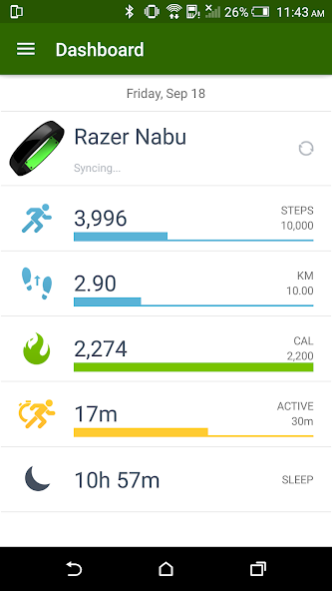
- One single app for both fitness tracking and utility settings.
- Sign in with your Razer ID or create a new one.
- Customizable notifications – set the band to notify you of exactly what you want, how you want it, and when you want it.
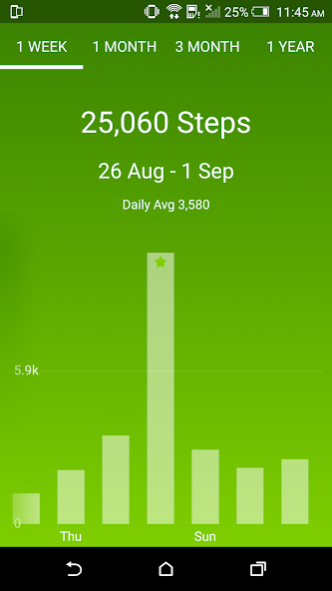
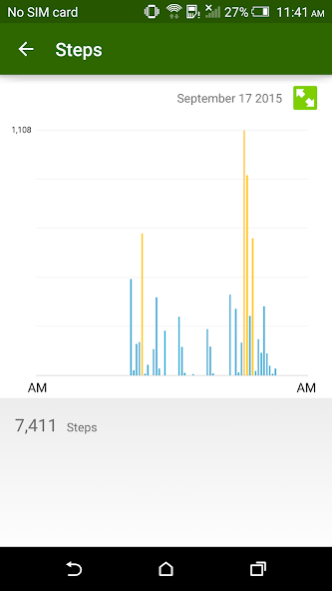
- Comprehensive activity analysis system – all your fitness data tracked on a daily, weekly, monthly and even yearly basis. Landscape mode capable for more detailed graphs.
- Set goals and beat ‘em!
- Advanced automatic sleep tracking – starts the moment you fall asleep, and stops the moment you wake. Includes configurable silent alarms. View your sleep history to get a good picture of your restfulness.
- Update your band with the latest firmware through the app.
- Browse up-to-date FAQs for your wearable.
- Wireless sync for ease of use – Your Nabu wearable connects to the Nabu app via Bluetooth so your data is always up to date.
Visit http://support.razer.com/contact-support for assistance
About Razer Nabu
The company that develops Razer Nabu is Razer Inc.. The latest version released by its developer is 2.2.0.25.
To install Razer Nabu on your Android device, just click the green Continue To App button above to start the installation process. The app is listed on our website since 2017-04-06 and was downloaded 2 times. We have already checked if the download link is safe, however for your own protection we recommend that you scan the downloaded app with your antivirus. Your antivirus may detect the Razer Nabu as malware as malware if the download link to com.razerzone.android.nabuutility is broken.
How to install Razer Nabu on your Android device:
- Click on the Continue To App button on our website. This will redirect you to Google Play.
- Once the Razer Nabu is shown in the Google Play listing of your Android device, you can start its download and installation. Tap on the Install button located below the search bar and to the right of the app icon.
- A pop-up window with the permissions required by Razer Nabu will be shown. Click on Accept to continue the process.
- Razer Nabu will be downloaded onto your device, displaying a progress. Once the download completes, the installation will start and you'll get a notification after the installation is finished.
Program Details
System requirements
Download information
Pricing
Version History
version 2.2.0.25
posted on 2017-04-06
Nabu Firmware update support for Android 7.0
